See Your Copy History on Mac
Ever copied something and lost it? Pastty remembers everything you copy. View your copy history instantly and paste any item again. Simple, private, and made for your Mac.
Requires macOS 13 or later
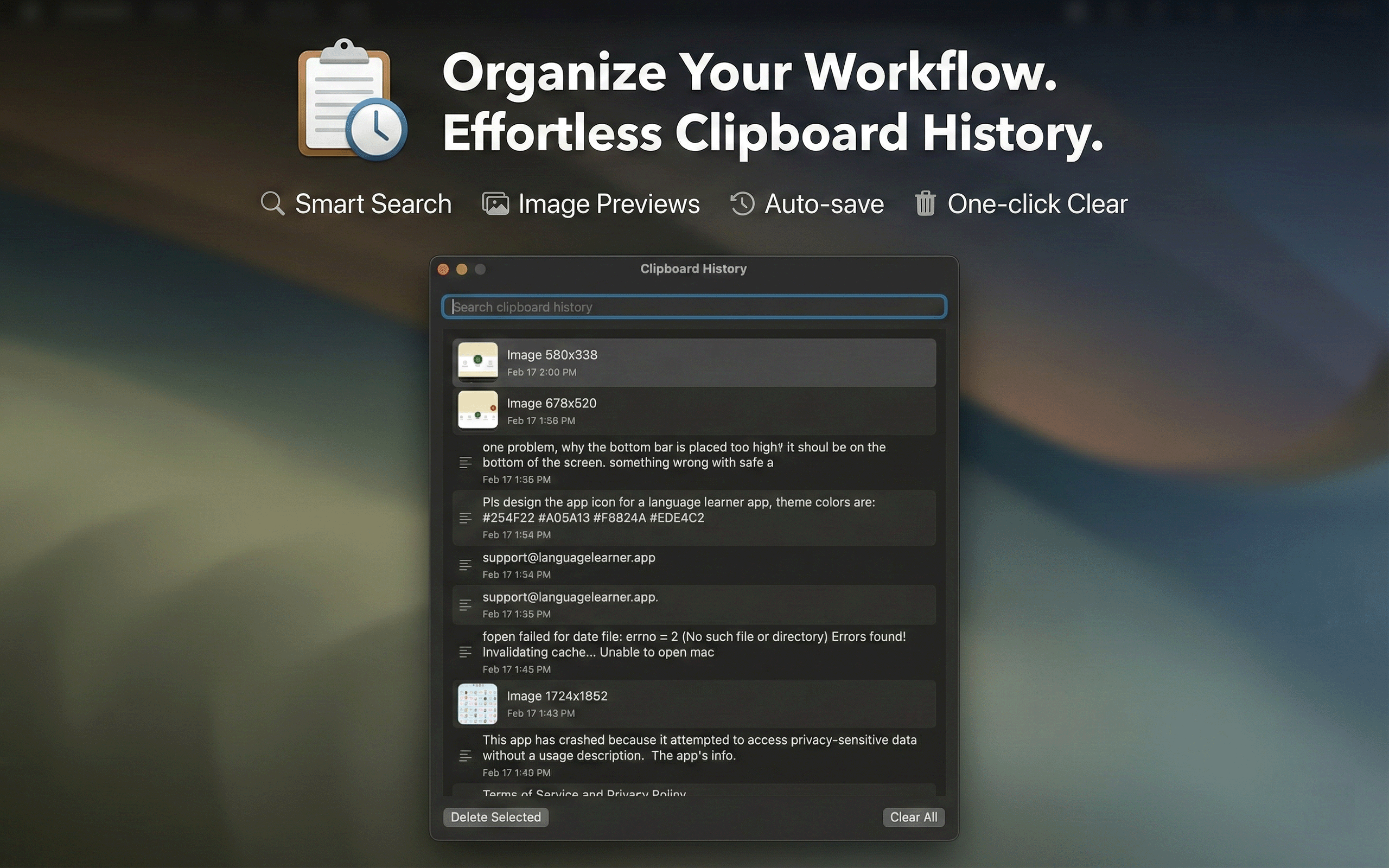
Never lose copied text again
Simple features that solve a frustrating problem.
Opens Instantly
Press a keyboard shortcut to see your copy history. No clicking through menus.
100% Private
Your copy history stays on your Mac. Nothing is sent online. No one can see what you've copied.
Text & Images
Both text and images are saved. Screenshots, photos, links, paragraphs — everything.
Search Your History
Can't find what you copied? Search through everything you've copied.
No Duplicates
Copied the same thing twice? Pastty keeps your copy history clean.
Made for Mac
Built specifically for macOS. Works perfectly with your Mac.
How it works
See your copy history in four simple steps.
Copy normally
Copy text or images just like you always do. Pastty works in the background.
Open copy history
Press Shift+Control+V to see everything you've copied.
Find what you need
Scroll through your history or search to find the text or image you want.
Paste it
Click an item to copy it, then paste with Cmd+V wherever you need it.
Simple pricing
One price, lifetime access. No subscriptions, no hidden fees.
One-time purchase
- Unlimited clipboard history
- Text and image support
- Global keyboard shortcut
- Free updates forever
- 100% private & local
Available on the Mac App Store
Frequently Asked Questions
Everything you need to know about Pastty
What is copy history?
Copy history is a record of everything you've copied on your Mac. When you copy text or images (Cmd+C), macOS normally forgets it as soon as you copy something new. Pastty saves your copy history so you can find and paste anything you copied earlier.
How do I see my copy history on Mac?
After installing Pastty, press Shift+Control+V to open your copy history. You'll see everything you've copied, and you can search or click any item to paste it again.
Can I recover text I copied but lost?
Yes! That's exactly what Pastty does. If you copied something and then copied something else (losing the first thing), Pastty keeps both. Open Pastty to find and paste your previously copied text.
Is my copy history private?
Yes, completely. Your copy history is stored only on your Mac. Nothing is sent to the internet or any server. Only you can see what you've copied.
What does Pastty cost?
Pastty is a one-time purchase of $0.99. No subscription, no monthly fees. Pay once and use it forever.
Does Pastty work with images too?
Yes. Pastty saves both text and images you copy. Screenshots, photos, graphics — everything is saved in your copy history.
What Mac do I need?
Pastty works on any Mac running macOS 13 Ventura or newer. This includes MacBook Pro, MacBook Air, iMac, Mac mini, and Mac Studio.
Never lose copied text again
See your copy history on Mac for less than a dollar.
Requires macOS 13 Ventura or later